HR and employee onboarding workflows for home health and hospice agencies
A clearer picture of your people, paperwork and next steps.
Every new hire brings documents to collect, information to check and signatures to follow up. HR Me App brings those employee workflows into one agency workspace, giving your team a clearer view of what is on file and what still needs attention.
Screens throughout show a fictional demonstration agency, never client records.
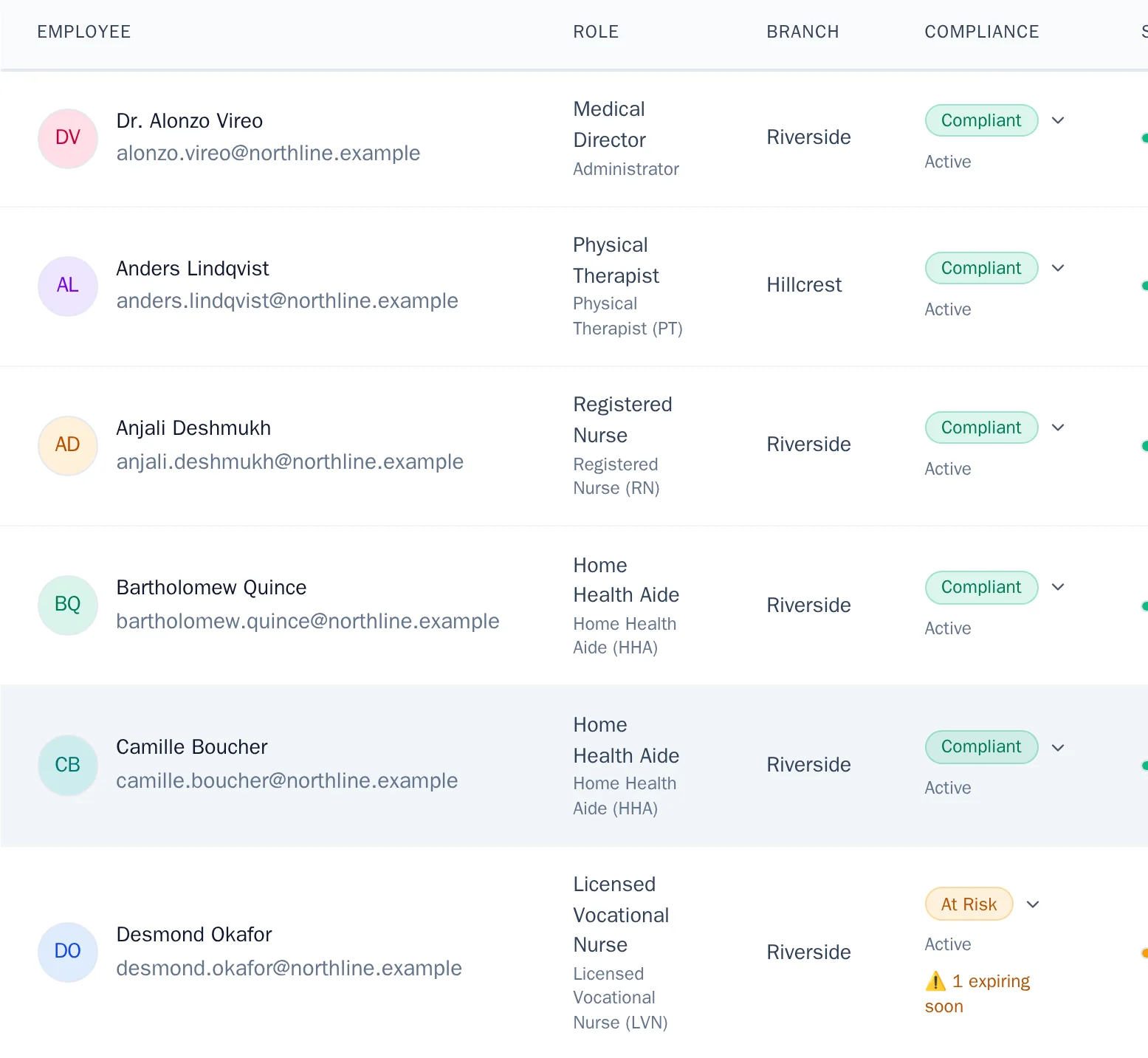
What changes for your agency
Three things your team can see at a glance.
Organized employee files
Every document, its status and its evidence, on the employee’s record.
Keep employee information and supporting documents connected, so authorized staff can open the evidence behind an item. Verification and expiry are shown as separate facts, so one status never hides another.
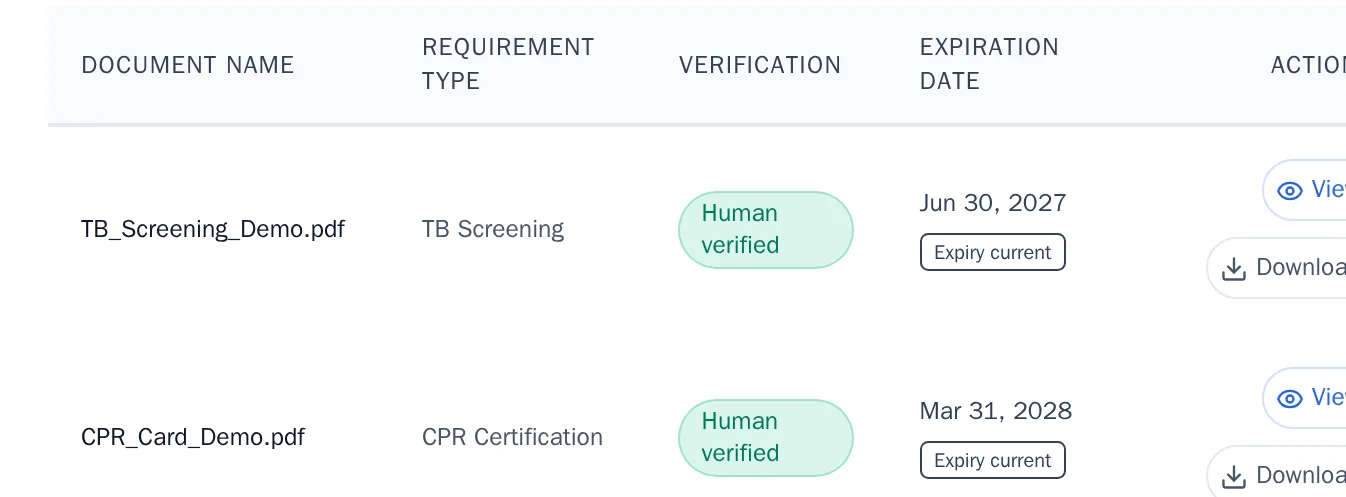
Guided employee onboarding
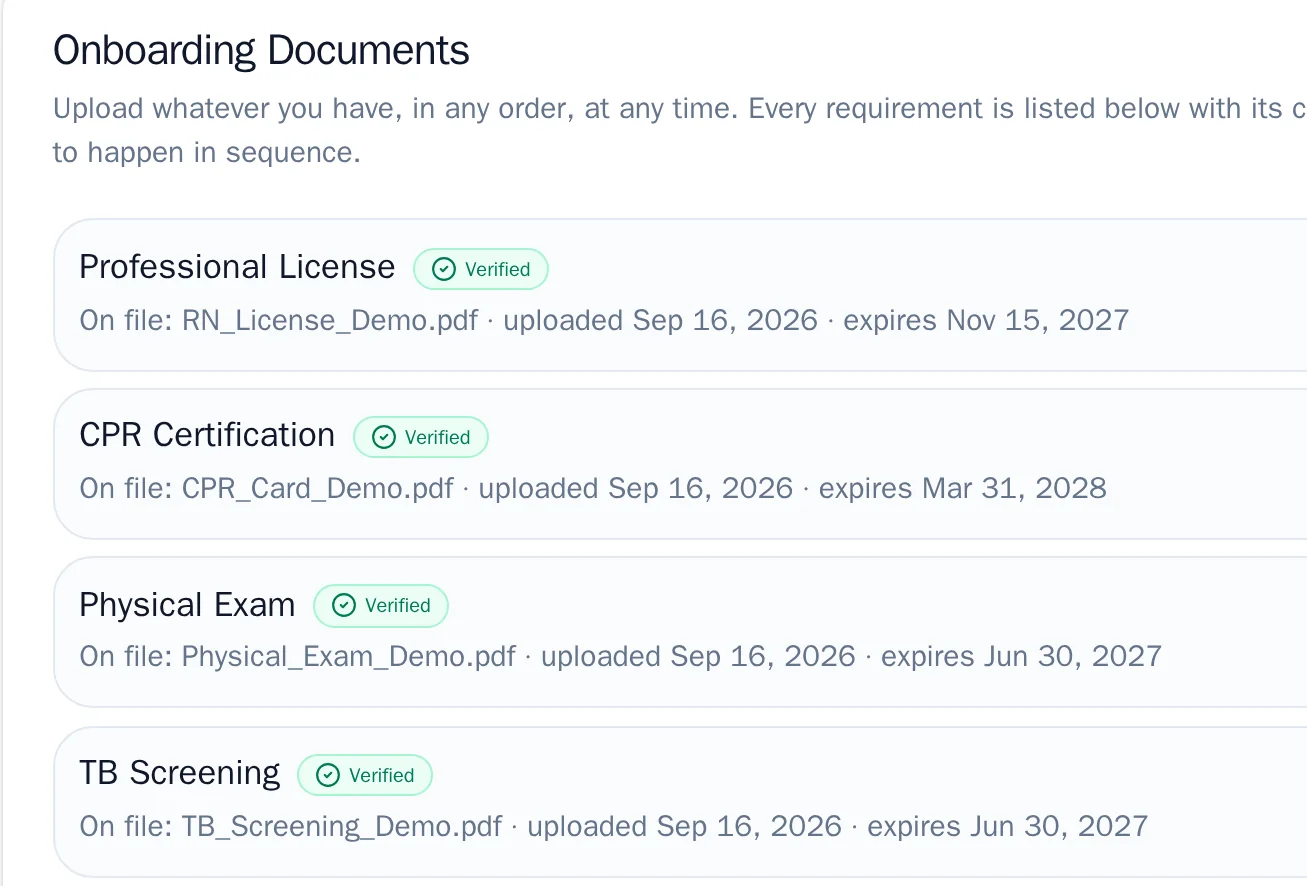
Employees submit documents and complete assigned forms in their own account.
Each requirement is listed with its current status. Uploads, assigned forms and signatures stay distinct, so a submission is never mistaken for an approval.
Visible outstanding work
What still needs a file, a signature or a reviewer, in one list.
Tasks and document statuses show the team what is left to do, who owns it and how urgent it is, without treating an upload as an approval.

How it works
One employee journey, with clear responsibilities.
Each step has an owner. Employees act in their own account, authorized staff review and sign in theirs, and the remaining work stays visible to the team.
Agency staff
Set up the employee
Authorized staff create the record with role, branch and service line, then set up the employee’s own account access.
Employee
Employee submits and reviews
The employee uploads documents, completes assigned forms and checks each one before signing.
Reviewer
Authorized staff review and sign
Reviewers open the original evidence, approve or request a correction, and sign their own part.
Whole team
Track what still needs attention
Tasks and document statuses show what still needs a file, a signature or a reviewer.
What's included
The employee file, onboarding and oversight, in one workspace.
Choose an area to see what it covers and how it looks.
Workforce
One record per person: role, branch, service line, contact details and the documents behind each requirement.
- Workforce directory and employee profiles
- HR core files per employee
- Background-check and licence records
- AI profile suggestions, confirmed by staff
Optional modules such as GPS visit verification, QAPI, a workforce marketplace and after-hours coverage are available separately and are not part of the core workspace.
AI that helps, with people deciding
Suggestions from your documents. Decisions by your staff.
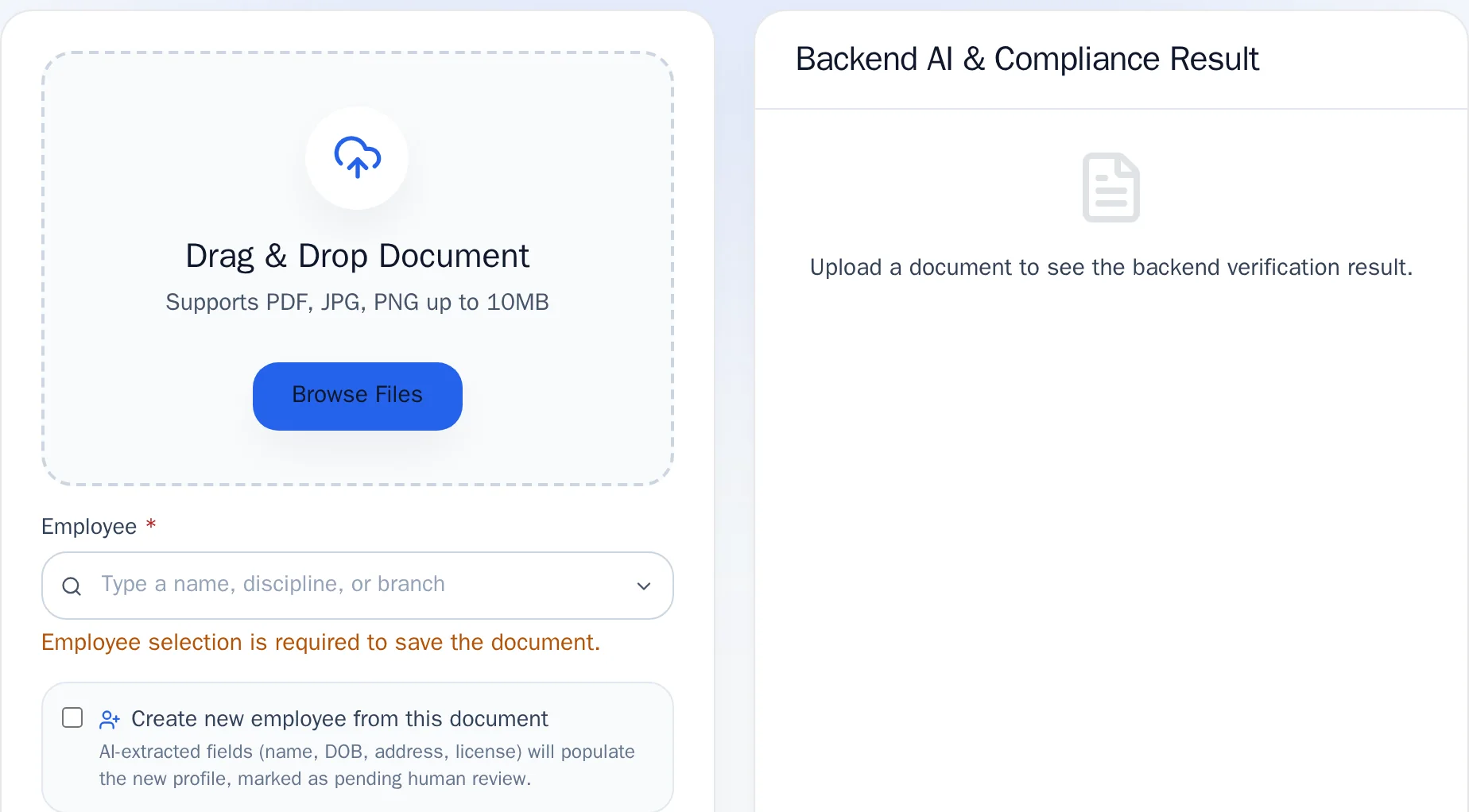
AI supports the work. Your reviewers make the decisions, and the record shows who did.
Built around your agency’s process
Start with your service lines, disciplines, branches and approved requirements.
Your agency decides which requirements apply to each role. HR Me App helps organize them and supports the review, so an approval stays a decision your staff make.
Agency owners
A clear view of employee files, onboarding progress and what still needs attention across branches.
HR and compliance staff
One place to set requirements, review evidence, sign your part and hand off the next step.
Employees
Their own account to submit documents, complete assigned forms and see what is still expected of them.
Security, plainly
Built to keep each agency’s records its own.
Your own project
Hosted on Google Cloud, with each agency’s data kept in its own project.
Scoped access
Access scoped by role and branch, so staff see only the records their role allows.
Recorded decisions
Reviews, approvals and signatures are recorded with who did them and when.
Originals preserved
Original signed documents are preserved; corrections create a new version.
Book a walkthrough
Bring your current onboarding process. We will start there.
We use your process to guide the conversation: your employee roles, the documents you require, who reviews and signs, and a suitable next step for your agency.
Agency requirements and authorized review guide the workflow; the software does not replace your agency’s professional responsibilities.